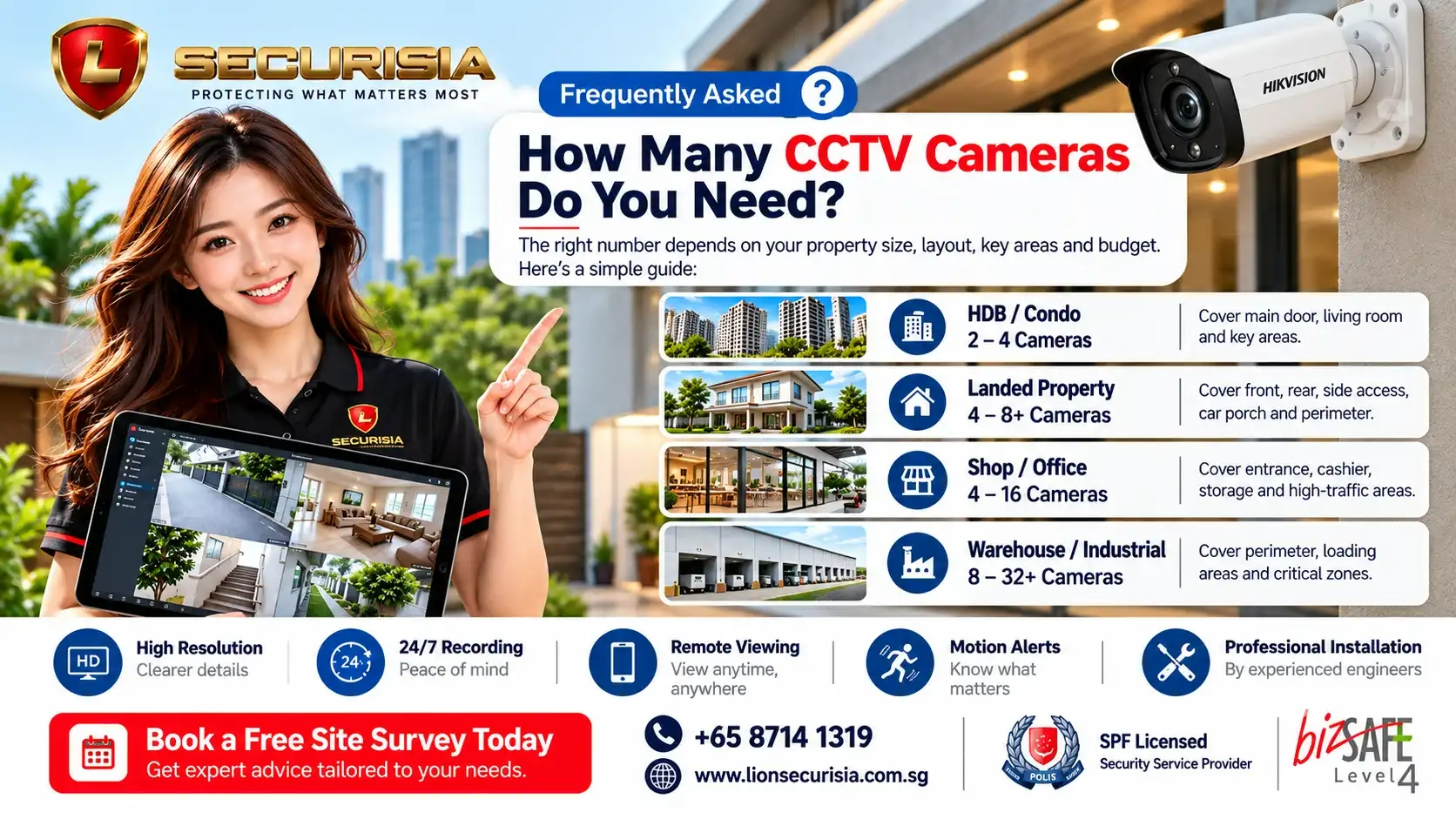
How Many CCTV Cameras Do You Need?
There is no universal number of CCTV cameras that works for every property. A small HDB flat may only require two or three strategically positioned cameras, while a landed property, retail shop or warehouse may require significantly more coverage.
The most important factor is not simply the size of the property. Good CCTV planning considers what you need each camera to see, where people enter and exit, where blind spots exist, lighting conditions, recording requirements and whether the footage needs to identify people or simply monitor activity.
Instead of asking only "How many cameras can I get?", ask "What areas must my CCTV system reliably cover?" Proper camera placement is often more important than simply increasing camera quantity.
Quick CCTV Camera Guide by Property Type
The following ranges can be used as a practical starting point when planning a CCTV system in Singapore. These are not fixed package recommendations because every property's layout and security requirements are different.
| Property Type | Typical Starting Range | Typical Coverage |
|---|---|---|
| HDB Flat | 2–4 Cameras | Main entrance, living area, service yard and key areas |
| Condominium | 2–6 Cameras | Entrance, living area, balcony, utility area and selected access points |
| Landed Property | 6–16+ Cameras | Front gate, driveway, entrances, side access, backyard and perimeter |
| Office | 4–8 Cameras | Main entrance, reception, corridors, critical rooms and access points |
| Retail Shop | 4–12 Cameras | Entrance, cashier/POS, aisles, stockroom and rear access |
| Warehouse / Industrial | 8–32+ Cameras | Loading bays, storage aisles, entrances, perimeter and critical zones |
These figures are planning ranges rather than fixed rules. A professional site assessment can determine whether fewer cameras with better positioning can provide stronger coverage, or whether additional cameras are needed to eliminate important blind spots.
How Many CCTV Cameras Do You Need for an HDB Flat?
For many HDB homes, a practical starting point is between two and four CCTV cameras. The actual requirement depends on the flat's layout, the number of access points and whether the homeowner wants to monitor indoor areas, the service yard or the main entrance.
| HDB Type | Typical Cameras | Possible Coverage |
|---|---|---|
| 2-Room / Compact Flat | 2 Cameras | Main entrance + main living area |
| 3-Room HDB | 2–3 Cameras | Entrance + living area + selected secondary area |
| 4-Room HDB | 3–4 Cameras | Entrance + living room + kitchen/service yard |
| 5-Room HDB | 4+ Cameras | Main living areas + entrances + selected rear/access areas |
HDB camera planning should also take into account corridor viewing angles, neighbouring units, privacy and installation constraints. A camera should be positioned to achieve useful coverage without unnecessarily capturing areas outside the intended security zone.
How Many CCTV Cameras Do You Need for a Condo?
A condominium apartment may require around two to six cameras depending on the size and layout of the unit. Many installations focus on the main entrance, living area, balcony or utility area and other locations that are important to the homeowner.
For larger condominium units, additional cameras may be useful where there are multiple entrances, longer corridors, larger balconies or separate access areas.
For condominium units, camera placement should be planned around the actual areas you need to monitor rather than simply installing one camera in every room.
How Many CCTV Cameras Do You Need for a Landed Property?
Landed properties usually require more cameras because they have more entrances, external areas and potential access routes. A practical starting point is approximately six to sixteen or more cameras depending on the property layout.
A typical landed CCTV plan may consider:
- Main gate and driveway
- Car porch
- Main entrance
- Side access
- Backyard or rear gate
- Ground-floor windows or vulnerable access points
- Upper-floor or external access areas where appropriate
- Perimeter coverage
The objective should not simply be to surround the house with cameras. Instead, identify the approaches a person would most likely use to enter or move around the property and position cameras to capture those approaches effectively.
How Many CCTV Cameras Do You Need for an Office?
Office CCTV requirements vary significantly depending on the number of rooms, entrances, staff areas and security-sensitive locations. For a small or medium office, four to eight cameras may provide a practical starting point.
Typical office coverage may include:
- Main entrance
- Reception area
- Office corridors
- Server or equipment room
- Storage areas
- Staff entrance
- Meeting or critical access areas
For larger offices, multiple floors or offices with several access points, the camera count can increase considerably.
How Many CCTV Cameras Do You Need for a Retail Shop?
Retail CCTV systems should be designed around the areas where security incidents are most likely to occur. A typical shop may require four to twelve cameras depending on its size and layout.
Priority areas often include:
- Front entrance
- Cashier and POS area
- Customer aisles
- High-value product displays
- Stockroom
- Rear entrance
- Loading or delivery areas
For retailers, camera positioning should balance wide-area coverage with sufficient image detail to review incidents. CCTV can also be integrated with other security measures where required.
For retail stores, don't automatically point every camera at the centre of the shop. Entrances, POS areas, high-value displays and rear access points often deserve higher priority.
How Many CCTV Cameras Do You Need for a Warehouse?
Warehouses and industrial premises can require significantly more cameras because of their size, ceiling height, loading areas, storage aisles and multiple access points. Eight to thirty-two or more cameras may be required depending on the site.
Typical coverage zones include:
- Vehicle entrance
- Loading and unloading bays
- Warehouse entrances
- Goods receiving areas
- Storage aisles
- High-value inventory areas
- Staff entrance
- External perimeter
Large warehouse projects should be designed using a detailed floor plan and site survey rather than selecting a camera count from a standard package.
Camera Quantity Is Not the Same as Camera Coverage
One of the biggest mistakes homeowners and businesses make is assuming that more cameras automatically mean better security. In reality, a poorly positioned camera can produce a wide image while providing very little useful detail.
For example, a camera may capture an entire driveway but still fail to provide sufficient facial detail at the entrance. Another camera may cover a large warehouse area but leave the loading bay entrance outside the most useful viewing angle.
When planning a CCTV system, consider three different objectives:
| Objective | What It Means |
|---|---|
| Overview | See what is happening in a wider area. |
| Detection | Know when a person or vehicle enters an area. |
| Identification | Capture sufficient detail to review who or what was involved. |
A good CCTV design determines which of these objectives is required for each location.
Where Should CCTV Cameras Be Placed?
Camera placement should begin with the most important security zones instead of simply choosing convenient mounting points.
| Location | Priority | Why |
|---|---|---|
| Main Entrance | ✅ High | Captures visitors and people entering the property. |
| Driveway / Car Porch | ✅ High | Monitors vehicle and pedestrian access. |
| Rear / Side Access | ✅ High | Helps cover less visible approaches. |
| Living / Common Area | ✅ Depending on need | Useful for home monitoring and family safety. |
| Cashier / POS | ✅ High for retail | Monitors transactions and nearby activity. |
| Loading Bay | ✅ High for commercial | Records goods movement and access activity. |
Avoid positioning every camera in the same direction. A properly planned system should provide overlapping protection across important approaches while minimising unnecessary blind spots.
Do You Need More Cameras or Better Cameras?
Sometimes the best way to improve CCTV coverage is not to add more cameras. A camera with the appropriate lens, resolution and viewing angle may cover a critical location more effectively than adding multiple cameras with overlapping views.
Factors to consider include:
- Camera viewing angle
- Lens type
- Mounting height
- Distance from the subject
- Day and night lighting
- Required image detail
- AI detection capability
- Recording resolution
Fixed Lens vs Varifocal CCTV Cameras
Different locations may require different camera lenses. Fixed-lens cameras are often suitable where the viewing area is already known, while varifocal cameras allow the viewing angle to be adjusted more precisely during installation.
| Camera Type | Best For | Main Advantage |
|---|---|---|
| Fixed Lens | Standard residential areas | Simple and cost-effective |
| Varifocal | Entrances, driveways and longer viewing distances | Allows more precise field-of-view adjustment |
| Panoramic | Large open areas | Wider area coverage |
How Much CCTV Storage Do You Need?
Camera quantity is closely related to storage requirements. The more cameras you install, the more recording capacity you will generally need.
Storage requirements are influenced by:
- Number of cameras
- Camera resolution
- Recording bitrate
- 24/7 or event-based recording
- Number of days of retention required
- Compression technology
For example, a four-camera home system recording continuously will generally require much less storage than a sixteen-camera commercial system recording continuously.
Do not choose the hard-disk size based only on the number of cameras. Confirm the required retention period and recording settings before selecting storage capacity.
Do You Need 24/7 Recording?
For many permanent CCTV installations, continuous recording provides the most complete record of activity. However, some smaller systems may use event-based recording depending on the camera model and security requirements.
If your goal is to review exactly what happened before and after an incident, continuous recording can provide more complete evidence than relying only on motion-triggered clips.
Wired PoE vs Wireless CCTV
Another important decision is whether the cameras should use wired network cabling or wireless connectivity. For permanent installations where reliability and continuous recording are important, wired PoE CCTV is generally the preferred approach.
| Feature | Wired PoE CCTV | Wireless CCTV |
|---|---|---|
| Connection | Dedicated network cable | Wi-Fi connection |
| Reliability | Generally more stable | Depends on wireless coverage |
| Power | PoE can provide power and data | May require local power or batteries |
| Best Use | Permanent installations | Temporary or difficult-to-cable locations |
If your home or office is undergoing renovation, plan Cat6 network cabling before ceilings, carpentry and finishes are completed. Early planning can result in a neater installation and make future upgrades easier.
What About AI CCTV?
Modern AI-powered CCTV systems can do more than record video. Depending on the camera and recorder, intelligent features may help identify people or vehicles, reduce irrelevant alerts and make searching recorded footage easier.
| AI Feature | How It Helps |
|---|---|
| Human Detection | Helps distinguish people from some non-human movement. |
| Vehicle Detection | Useful for driveways, carparks and loading areas. |
| Smart Motion Alerts | Provides more relevant notifications. |
| Smart Playback | Makes important events faster to locate. |
Common CCTV Planning Mistakes
A CCTV system can contain high-quality cameras and still perform poorly if the design is not planned correctly. The following are common mistakes homeowners and businesses should avoid.
1. Choosing a Camera Count Before Planning Coverage
Starting with a package such as "four cameras" or "eight cameras" can lead to poor coverage if the property layout is not considered first.
2. Installing Cameras Too High
A camera mounted too high may provide a useful overview but insufficient detail for identifying a person.
3. Ignoring Night Lighting
A camera that performs well during daylight may produce very different results at night. Lighting, infrared performance and camera positioning should be considered together.
4. Forgetting Future Expansion
If you expect to add cameras later, consider the available NVR channels, PoE ports, network infrastructure and storage capacity during the initial installation.
5. Selecting the Cheapest Quotation
Two CCTV quotations with the same camera count may have very different camera models, storage capacity, cabling scope, installation methods and warranty coverage. The number of cameras alone does not tell you whether two systems are equivalent.
What Should You Check in a CCTV Quotation?
Before comparing CCTV quotations, check whether the proposal clearly states what is included. A transparent quotation makes it easier to compare systems fairly.
| Quotation Item | What to Check |
|---|---|
| Camera | Exact model, resolution, lens and features |
| Recorder | NVR channel capacity and recording specifications |
| Storage | Hard-disk capacity and estimated retention |
| Cabling | Cable type, route and concealment/trunking scope |
| Installation | Mounting, testing and commissioning |
| Remote Viewing | Mobile application configuration and setup |
| Warranty | Hardware coverage and after-sales support |
If two quotations both say "8 cameras", don't assume they are equivalent. Compare the actual camera models, recorder, storage, cabling, installation scope and warranty.
Can You Calculate the Number of CCTV Cameras Yourself?
You can estimate your CCTV requirements by dividing your property into security zones. Start with entrances and access points, then add common areas, high-value locations, blind spots and other areas where recording is important.
A simple planning process is:
- Mark every main entrance and secondary access point.
- Identify areas where an incident is most likely to occur.
- Determine whether each location requires overview, detection or identification.
- Consider day and night lighting.
- Choose suitable camera types and viewing angles.
- Confirm recording duration and storage requirements.
- Check whether the recorder has enough channels for future expansion.
This provides a useful starting estimate, but a professional site survey is recommended for larger or more complicated premises.
How a Professional Site Survey Helps
A site survey allows an engineer to assess the actual property instead of relying only on photographs or floor area.
During a CCTV survey, important considerations may include:
- Camera viewing angles
- Blind spots
- Existing network points
- Cable routing
- Ceiling and wall conditions
- Lighting conditions
- Recorder location
- Storage requirements
- Future expansion
This is particularly important for landed homes, offices, retail shops, warehouses and multi-camera projects where a small planning mistake can affect many cameras.
Why Professional CCTV Installation Makes a Difference
CCTV installation involves much more than mounting cameras. The effectiveness of the final system depends on camera positioning, lens selection, cabling, network connectivity, recorder configuration and testing.
A professional installation helps ensure that the cameras are positioned to capture useful footage rather than simply being placed wherever installation is easiest.
Why Choose Lion Securisia Engineering?
Since 2010, Lion Securisia Engineering has provided professional CCTV and security solutions for residential and commercial properties throughout Singapore.
Our approach starts with understanding the property and the customer's actual security objectives. Rather than simply recommending the highest number of cameras, our engineers assess the layout and identify where CCTV coverage will provide the greatest practical benefit.
Our professional services include:
- Professional engineer site surveys
- Residential and commercial CCTV installations
- AI-powered CCTV solutions
- Wired PoE CCTV systems
- Neat cable management and concealed wiring where feasible
- Remote viewing setup
- System configuration and testing
- User guidance and handover
- After-sales technical support
Every property is different. Our engineers focus on practical coverage, reliable recording and long-term usability instead of simply increasing the camera count.
Frequently Asked Questions
How many CCTV cameras do you need for an HDB flat?
Many HDB flats can start with approximately two to four cameras, depending on the layout, entrances and areas the homeowner wants to monitor.
How many CCTV cameras do you need for a landed property?
A landed property may require approximately six to sixteen or more cameras, depending on the number of entrances, driveway, side access, backyard and perimeter areas.
How many CCTV cameras do you need for a shop?
A retail shop may typically start with around four to twelve cameras depending on the store size, number of entrances, POS area, stockroom and high-value areas.
How many CCTV cameras do you need for a warehouse?
Warehouses often require eight to thirty-two or more cameras because of their larger area, loading bays, storage aisles, entrances and perimeter.
Do more CCTV cameras always mean better security?
No. Proper camera placement is often more important than simply increasing the camera count. A smaller number of well-positioned cameras may provide better coverage than many cameras with overlapping or poorly planned views.
Is wired CCTV better than wireless CCTV?
For permanent installations requiring reliable connectivity and continuous recording, wired PoE CCTV is generally the preferred approach. Wireless cameras can still be useful where cable installation is difficult or for temporary monitoring.
How much CCTV storage do I need?
Storage depends on camera quantity, resolution, bitrate, recording schedule and the number of days you want to retain footage. A higher camera count and longer retention period generally require more storage.
Can I view CCTV remotely on my phone?
Yes. Modern CCTV systems can support secure remote viewing through smartphone applications, allowing users to check live footage and review recordings remotely when the system is configured with internet access.
Should I install CCTV before or after renovation?
If possible, CCTV cabling should be planned during renovation before ceilings, carpentry and finishes are completed. Early planning can make cable routing neater and reduce future installation disruption.
Final Thoughts
The right number of CCTV cameras depends on what you need to protect—not simply how large your property is. A two-camera HDB installation, a six-camera landed home system and a thirty-camera warehouse system can all be correctly designed when the cameras are positioned according to the property's actual security requirements.
For homeowners and businesses in Singapore, the most important questions are where people can enter, which areas require monitoring, what level of image detail is needed and how long recordings should be retained.
Instead of choosing a CCTV system based purely on the number of cameras or the lowest price, consider the complete solution: camera placement, image quality, recording, storage, cabling, remote access, scalability and professional installation.
Need Help Deciding How Many CCTV Cameras You Need?
Not sure whether your property requires 4, 8, 12 or more cameras? Send us your floor plan, site photos or details of the areas you want to monitor. Our engineers can assess the layout and recommend a practical CCTV solution based on your coverage requirements, recording needs and installation conditions.
| Company | Lion Securisia Engineering |
| Services | Residential & Commercial CCTV Installation, AI CCTV, Access Control, Alarm Systems |
| Coverage | Singapore Islandwide |
| Website | https://lionsecurisia.com.sg |
| hello@lionsecurisia.com.sg | |
| Hotline | +65 8714 1319 |
Contact us for a no-obligation consultation, and our experienced engineers will recommend the most suitable CCTV solution based on your property's layout, security requirements and future expansion plans.
Related CCTV Guides
Continue exploring our CCTV Knowledge Centre with these useful guides:
- The Ultimate CCTV Installation Guide in Singapore (2026)
- Best CCTV for HDB Flats in Singapore
- CCTV Installation Cost Guide Singapore
- WiFi vs Wired CCTV Comparison
- How Long Should CCTV Footage Be Stored?
About Lion Securisia Engineering
Lion Securisia Engineering is a Singapore-based security solutions provider specialising in CCTV surveillance, access control systems, alarm systems and integrated security solutions for residential and commercial properties.
Since 2010, our engineering team has completed CCTV installations for HDB flats, condominiums, landed homes, offices, warehouses, retail shops, places of worship and other properties across Singapore.
Our recommendations are based on practical installation experience, helping customers choose security solutions that are reliable, scalable and suited to their everyday needs.
The camera quantities and recommendations in this article are general planning guidelines for educational purposes. Actual CCTV requirements vary according to property layout, lighting, viewing distance, security objectives, installation conditions and recording requirements. A professional site assessment is recommended before finalising a CCTV system or quotation.